Why GPS Struggles on Standing Waves and How Riversurf IQ Tracks Your Session
RSPro Admin
River surfer Kevin Medusa testing Riversurf IQ on a standing wave. Surfer: @kevinmedusa.
RSPro first featured Riversurf IQ in 2023, when Daniel Gómez was developing a Garmin application specifically for river surfing. Three years later, he has rebuilt the app, its tracking system and the web platform behind it. We asked Daniel to explain what has changed and why tracking a standing wave requires a different approach.
Riversurf IQ began with a simple problem.
I used my Garmin watch to track activities such as cycling, mountain sports and climbing. When I looked for a way to record river surfing sessions, however, the available tools did not reflect what was actually happening on the wave.
On a standing wave, the rider can link turns, compressions, snaps and airs while remaining inside a very small area. A conventional GPS activity may therefore show little distance travelled, even though the rider has been moving intensely throughout the session.
That gap became the starting point for Riversurf IQ.
The new v2 platform has been rebuilt around motion sensing, haptic feedback and wave-by-wave analysis. It is designed for river surfing, artificial standing waves, wakesurfing and surfskate.
Why GPS Alone Tells Only Part of the Story
Ocean surf tracking is usually based on movement through a location. The rider paddles out, catches a wave and travels towards the shore.
Standing-wave surfing works differently.
Whether you are riding a natural river wave or a continuous-flow pool, you may spend part of the session waiting in a queue before dropping directly into fast-moving water. Once on the wave, the water moves beneath you while your position remains almost fixed.
GPS can record the general location, but distance alone cannot describe the rail changes, linked turns or repeated compression movements that make up the ride.
Riversurf IQ therefore focuses primarily on how the rider moves, rather than how far the rider travels.
Track Motion, Not Distance
The Garmin application uses the watch's triaxial accelerometer to analyse movement across three axes.
During active riding, the current version samples motion data at up to 4 Hz. The software looks for movement patterns associated with entering the wave, linking turns, changing rails and leaving the water.
It is also designed to distinguish active riding from time spent waiting in the queue or standing in the channel.
During those inactive periods, a Smart Sleep system reduces sensor polling to 1 Hz to help preserve battery life. When the watch detects an acceleration pattern associated with entering the wave, it returns to its active tracking mode.

Riversurf IQ combines discipline-specific profiles, accelerometer-based detection, haptic alerts and post-session metrics.
Designed So You Do Not Need to Look at the Watch
Checking a screen while riding a fast standing wave is neither practical nor particularly sensible.
Riversurf IQ therefore uses vibrations to communicate the main session states:
- One short vibration: confirms that the app has detected the start of a ride.
- One long vibration: confirms the end of the wave or a wipeout.
- Wave Hog Alert: gives the rider a discreet reminder after 60 seconds of continuous riding.
The last feature is partly practical and partly cultural. Standing waves usually work through a local rotation, and sharing the wave is part of respecting the session and the other riders waiting for their turn.
The objective is to let the watch handle the tracking while the rider concentrates on the wave.
What Can You Learn From the Session?
Total activity time is not particularly useful when a large part of that time was spent waiting.
Riversurf IQ separates the session into individual rides and calculates a series of motion-based indicators.
Flow Score
A score from 1 to 100 based on the consistency of the rider's movement, transition fluidity and ability to link turns.
Snap Score
An indicator based on lateral acceleration peaks generated during harder carves, rapid rail changes and tail releases.
Air Time
The app looks for a sequence of reduced gravitational load followed by landing impact that may indicate an aerial movement.
These figures are best treated as comparative training signals rather than an objective judgement of surfing style.
The useful question is not whether one rider has a better number than another. It is whether your own scores, ride duration and movement patterns become more consistent as you practise.

A surfskate session summary showing Flow Score, Snap Score, maximum speed, Air Time and ride duration.
Three Profiles for Different Board Sports
The application currently includes three profiles. Each one adapts the detection system to the movement and equipment involved.
River Surf Mode
Designed for natural river waves and continuous-flow pools.
The profile includes filtering intended to distinguish riding movements from arm strokes and to detect when the rider exits the wave or is carried into the channel.
Wakesurf Mode
Designed for long rides behind a boat.
This mode removes the river-surf paddling logic and adjusts the tracking thresholds for a continuous ride on the boat's wake.
Surfskate Mode
Designed for training on asphalt, flat ground or ramps.
It focuses on repeated pumping, rail-to-rail movement and tighter carving patterns. It also gives riders a way to compare land-based training sessions when no wave is available.
From the Watch to the Web Dashboard
When the activity is saved, the session is categorised in Garmin Connect using Garmin's Surf activity profile.
The data also synchronises with the rider's private account at Riversurf.xyz.
The web dashboard allows users to review individual rides, inspect wave-by-wave charts, follow their session history and explore standing-wave locations on a global map.
Registration on Riversurf.xyz is required for the v2 platform. This gives each rider a private history and allows Riversurf IQ to build a clearer picture of its active community.
Why Consistency Matters
Tracking does not make somebody a better surfer by itself.
It becomes useful when the rider can compare similar sessions, repeat a setup and identify whether a movement is becoming more controlled.
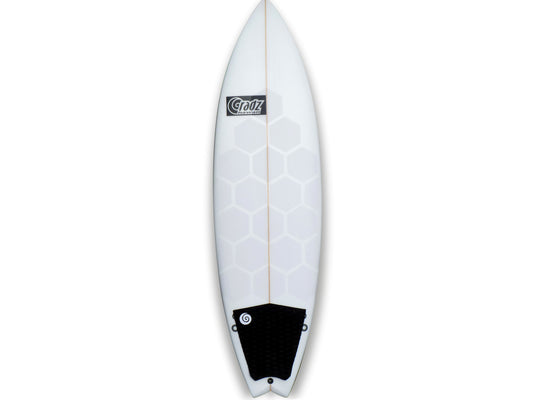
Board dimensions, fin configuration, stance and foot position all affect how a standing wave feels. A consistent traction layout can also help the rider return to the same position on the deck and apply pressure more predictably.
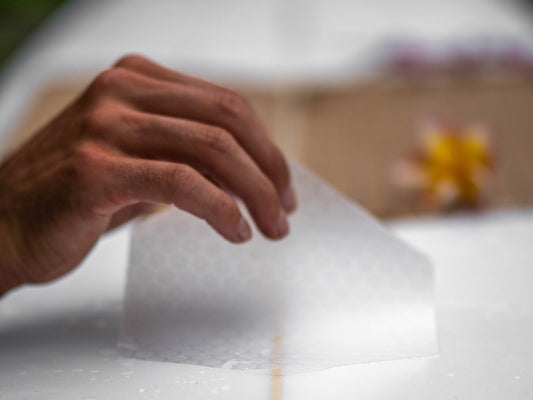
For riders who prefer defined traction zones without covering the complete board with a conventional deck pad, RSPro HexaTraction can be arranged around the rider's own stance and board shape.
The application measures the session. The rider still has to do the repetitions.
How to Start Using Riversurf IQ v2
Getting started takes three steps:
- Install the application. Download Riversurf IQ from the Garmin Connect IQ Store.
- Create an account. Register at Riversurf.xyz and link the watch from the profile page.
- Select the discipline. Choose Riversurf, Wakesurf or Surfskate on the watch before starting the session.
Once the screen is locked, the sensors and haptic alerts handle the tracking in the background.
Standing-wave surfing is one of those sports where progress is usually felt before it can be measured.
Riversurf IQ is not intended to replace that feeling. It is an attempt to give riders a useful record of everything happening inside the same few metres of moving water.
Guest post by Daniel Gómez, creator of Riversurf IQ. Edited by RSPro. Technical descriptions, algorithms and performance metrics were supplied by Riversurf IQ.
Related reading: Riversurf.xyz: The River Surfing App for Garmin Watches